> ## Documentation Index
> Fetch the complete documentation index at: https://auth0-actions-triggers-prototype.mintlify.site/llms.txt
> Use this file to discover all available pages before exploring further.
> Describes how to enable API access to the Authorization Extension.
# Enable API Access to Authorization Extension
Auth0 provides two ways to implement role-based access control (RBAC), which you can use in place of or in combination with your API's own internal access control system:
* [Authorization Core](/docs/manage-users/access-control/rbac)
* [Authorization Extension](/docs/customize/extensions/authorization-extension)
The Authorization Core feature set matches the functionality of the Authorization Extension, improves performance and scalability, and provides a more flexible RBAC system than the Authorization Extension.
Currently, both implement the key features of RBAC and allow you to restrict the custom scopes defined for an API to those that have been assigned to the user as permissions.
Once configured and set up, your extension should contain users, as well as groups, roles, and permissions. You can automate provisioning and query the authorization context of your users in real-time if you enable API access to your extension.
## Enable API access
1. Go to [Auth0 Dashboard > Extensions > Auth0 Authorization](https://manage.auth0.com/#/extensions).
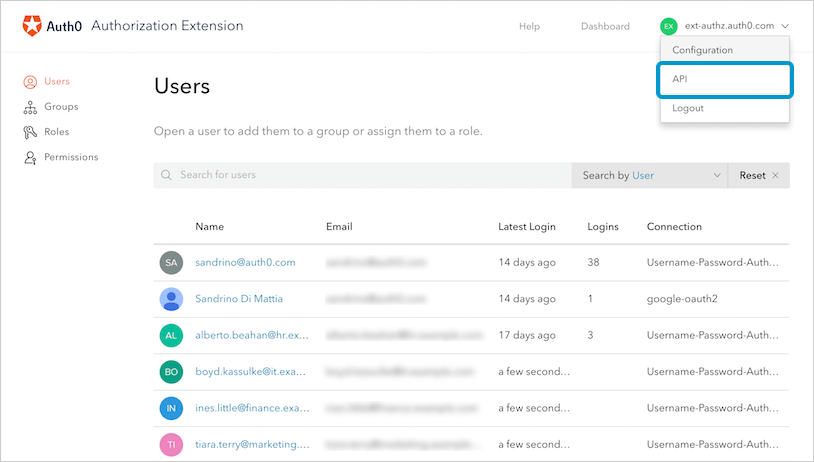
2. To get to **API** section, select your Auth0 tenant name on the top right of the **Authorization Dashboard**, then select **API**.
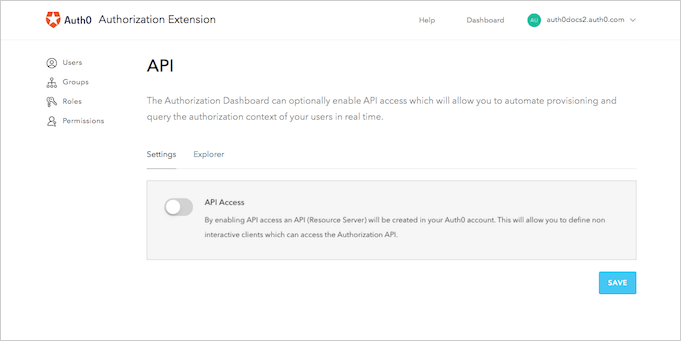
 3. On the **Settings** page, enable the **API Access** switch.
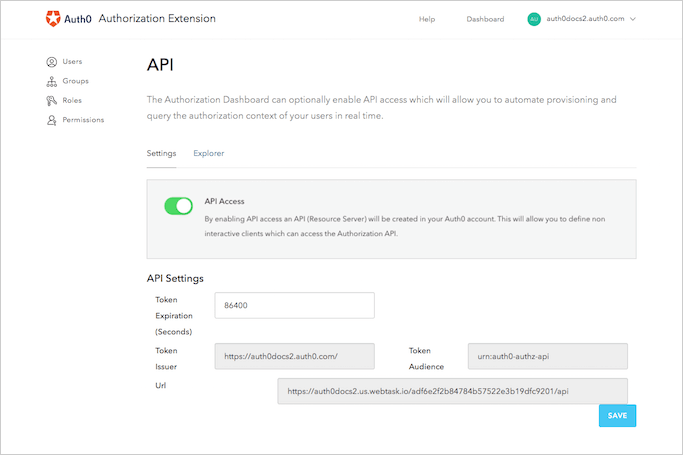
 4. Once API Access is enabled, you'll be able to see or control (within the extension) some of the parameters of the tokens issued by the API. You can control the **time to expiration** of the token, as well as view the token's **audience**, **issuer**, and **URL** to access the API.
 ## Access extension API
When you enabled API access to the extension, Auth0 automatically created an API for your use in the [Auth0 Dashboard](https://manage.auth0.com/#/apis). To access the API, you'll need to create a Machine to Machine Application, which is the entity that interacts with the API itself.
### Create applications
1. Navigate to [Auth0 Dashboard > Applications > Applications](https://manage.auth0.com/#/applications), and select **Create Application**. Name your new Application, and choose the **Machine to Machine Application** type. Select **Create** to proceed.
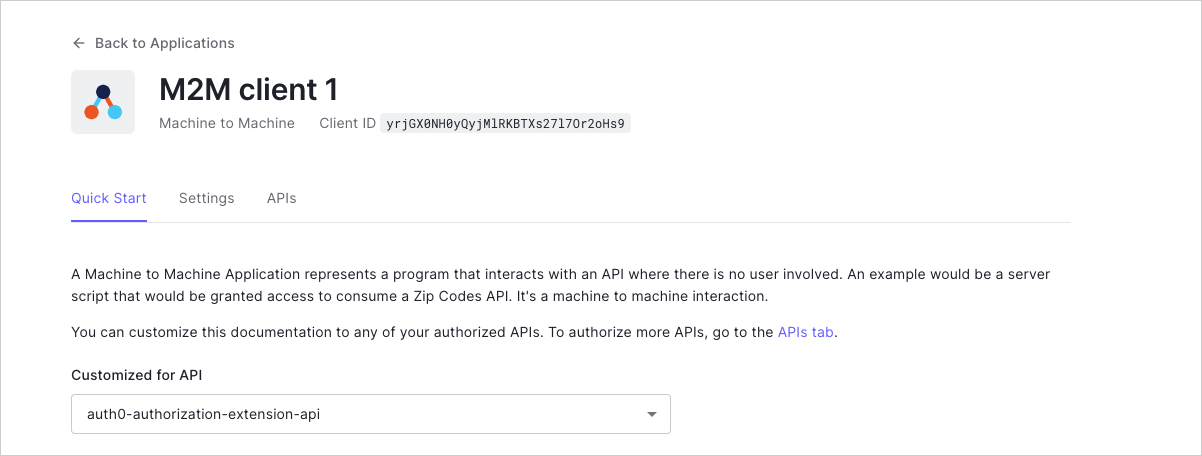
You'll be redirected to the **Quick Start** page of the Application, where you can customize the living documentation based on the API with which you'll use the Application. Select the API that Auth0 created for your extension (it should be called **auth0-authorization-extension-api** or similar).
Since this is the first time you're working with the API and Application together, you'll see a message that says, "This application is not authorized for this API." To authorize the application for use with the API, select **Navigate to the API and Authorize**.
## Access extension API
When you enabled API access to the extension, Auth0 automatically created an API for your use in the [Auth0 Dashboard](https://manage.auth0.com/#/apis). To access the API, you'll need to create a Machine to Machine Application, which is the entity that interacts with the API itself.
### Create applications
1. Navigate to [Auth0 Dashboard > Applications > Applications](https://manage.auth0.com/#/applications), and select **Create Application**. Name your new Application, and choose the **Machine to Machine Application** type. Select **Create** to proceed.
You'll be redirected to the **Quick Start** page of the Application, where you can customize the living documentation based on the API with which you'll use the Application. Select the API that Auth0 created for your extension (it should be called **auth0-authorization-extension-api** or similar).
Since this is the first time you're working with the API and Application together, you'll see a message that says, "This application is not authorized for this API." To authorize the application for use with the API, select **Navigate to the API and Authorize**.
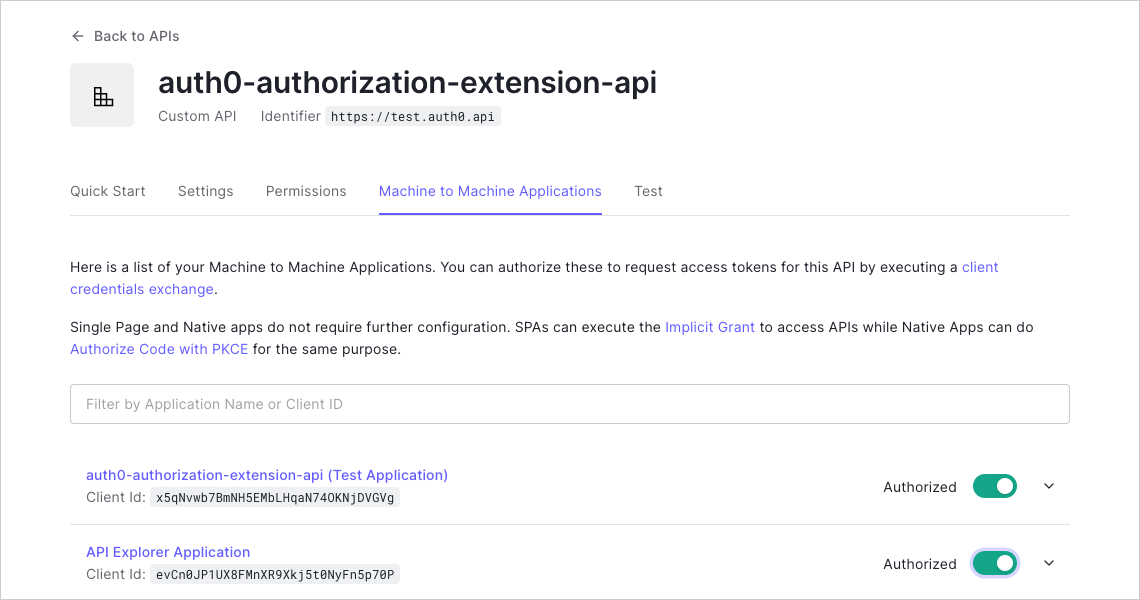
 2. You'll see a list of Machine to Machine Applications you can use with your API. Enable the switch next to the Application you just created to authorize it.
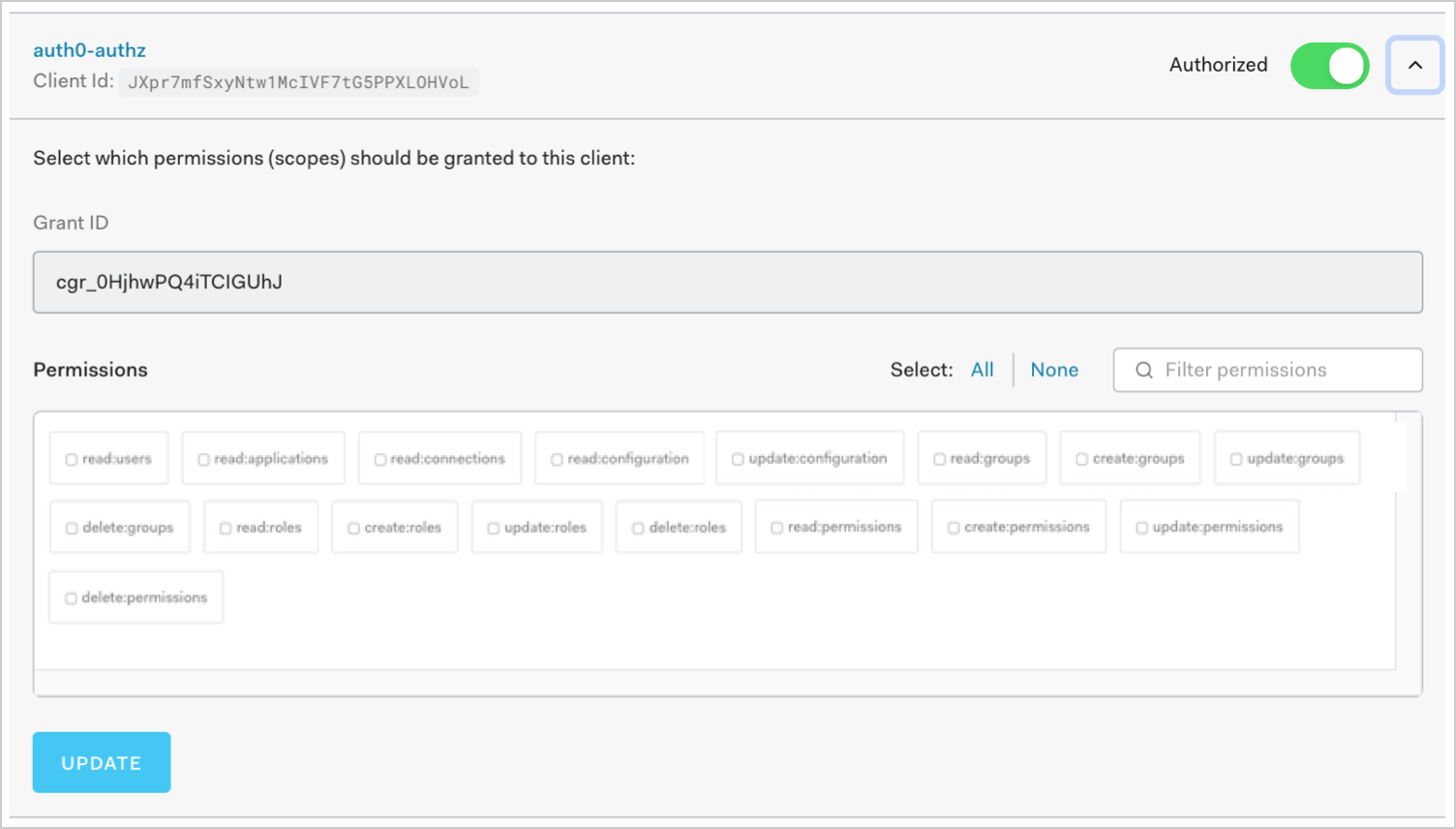
 Once you've authorized the Application, you'll see the **Grant ID**. You can also select the **Scopes** to be granted to the Application. The scopes you grant depends on the endpoints you want to access.
3. If you make any changes to the scopes, select **Update** to save.
Once you've authorized the Application, you'll see the **Grant ID**. You can also select the **Scopes** to be granted to the Application. The scopes you grant depends on the endpoints you want to access.
3. If you make any changes to the scopes, select **Update** to save.
 ### Get access token
To access the API, you'll need to [ask for and obtain the appropriate token](/docs/get-started/authentication-and-authorization-flow/client-credentials-flow/call-your-api-using-the-client-credentials-flow).
### Call the API
You can call the API via:
* An HTML request
* A cURL command
You can also find detailed information about the endpoints, as well as samples on how to call each endpoint using the three methods above, in the [Authorization Extension API Explorer](https://auth0.com/docs/api/authorization-extension).
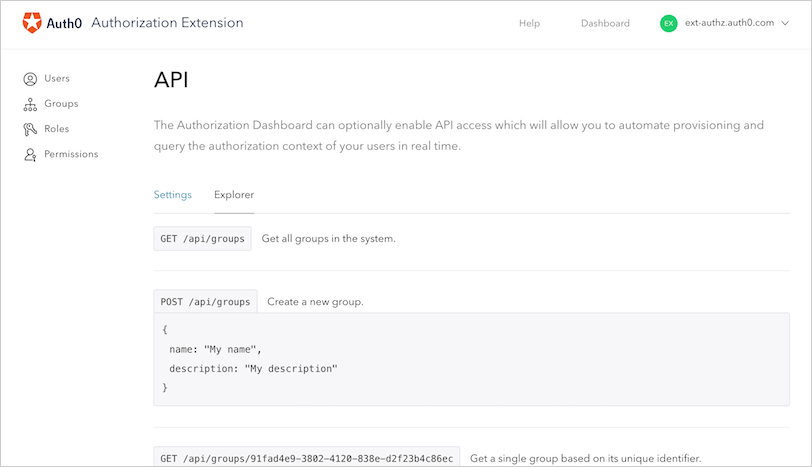
You can also refer to the **API Explorer**, which documents everything you can do via command line once you've enabled access to your extension via API.
Select the **Explorer** page for the API documentation.
### Get access token
To access the API, you'll need to [ask for and obtain the appropriate token](/docs/get-started/authentication-and-authorization-flow/client-credentials-flow/call-your-api-using-the-client-credentials-flow).
### Call the API
You can call the API via:
* An HTML request
* A cURL command
You can also find detailed information about the endpoints, as well as samples on how to call each endpoint using the three methods above, in the [Authorization Extension API Explorer](https://auth0.com/docs/api/authorization-extension).
You can also refer to the **API Explorer**, which documents everything you can do via command line once you've enabled access to your extension via API.
Select the **Explorer** page for the API documentation.
 ## Learn more
* [Use Rules with the Authorization Extension](/docs/customize/extensions/authorization-extension/use-rules-with-the-authorization-extension)
* [Import and Export Authorization Extension Data](/docs/customize/extensions/authorization-extension/import-and-export-authorization-extension-data)
## Learn more
* [Use Rules with the Authorization Extension](/docs/customize/extensions/authorization-extension/use-rules-with-the-authorization-extension)
* [Import and Export Authorization Extension Data](/docs/customize/extensions/authorization-extension/import-and-export-authorization-extension-data)