> ## Documentation Index
> Fetch the complete documentation index at: https://auth0-actions-triggers-prototype.mintlify.site/llms.txt
> Use this file to discover all available pages before exploring further.
# 変数とヘルパー関数
> アクション用のフォームで変数を使用する方法を説明します。
変数を使用すると、フォームとフローに含まれるデータにアクセスして、カスタムビジネスロジックと自動化を作成できます。
変数を使用する際の基本的な考慮事項は次のとおりです。
* 変数は中括弧`{{ variable }}`で囲みます。
* 変数が存在しないか解決できない場合は、`未定義`の変数と同じ効果があります。
* `null`または`未定義`の変数を処理するには、nullish演算子を使用できます。例:`{{fields.foo ?? fields.bar}}`。
## 利用できる変数
フォームとフローを使用して顧客から収集したデータを参照および変換するには、さまざまな種類の変数を使用できます。
| 変数 | 構文 | 場所 | 説明 |
| ------------------------------- | ----------------- | -------- | ------------------------------ |
| Context(コンテキスト) | `{{context.*}}` | フォーム/フロー | 現在のトランザクションのリファレンスコンテキストデータ |
| Form fields(フォームフィールド) | `{{fields.*}}` | フォーム/フロー | フォームフィールドと非表示フィールドからのリファレンスデータ |
| Shared variables(共有変数) | `{{vars.*}}` | フォーム/フロー | 共有変数として保存されたリファレンスデータ |
| Flow actions output(フローアクション出力) | `{{actions.*}}` | フロー | 前のフローアクションの出力応答からのリファレンスデータ |
| Helper functions(ヘルパー関数) | `{{functions.*}}` | フォーム/フロー | データ変換のためのヘルパー関数 |
### コンテキスト変数
フォームとフローは、現在のトランザクションからコンテキスト変数を自動的に継承します。次のコンテキスト変数にアクセスできます。
* `user`オブジェクト。以下に挙げたプロパティにアクセスできます。
* `user.user_id`
* `user.username`
* `user.name`
* `user.given_name`
* `user.family_name`
* `user.nickname`
* `user.email`
* `user.email_verified`
* `user.phone_number`
* `user.phone_verified`
* `user.picture`
* `user.user_metadata`
* `user.app_metadata`
* `user.created_at`
* `user.updated_at`
* `user.last_password_reset`
* `user.identities`
* 次のプロパティにアクセスできる`組織`オブジェクト。
* `organization.id`
* `organization.name`
* `organization.display_name`
* `organization.metadata`
* 次のプロパティにアクセスできる`クライアント`オブジェクト。
* `client.client_id`
* `client.name`
* 次のプロパティにアクセスできる`テナント`オブジェクト。
* `tenant.name`
* 次のプロパティにアクセスできる`トランザクション`オブジェクト。
* `transaction.state`
```json lines expandable theme={null}
{
"user": {
"user_id": "auth0|658409...",
"name": "ana@travel0.com",
"nickname": "ana",
"email": "ana@travel0.com",
"email_verified": true,
"picture": "https://s.gravatar.com/avatar/8eb1b522f6...",
"user_metadata": {},
"app_metadata": {},
"created_at": "2023-12-21T09:46:40.487Z",
"updated_at": "2024-05-07T10:44:26.271Z",
"last_password_reset": "2023-12-21T09:49:08.932Z",
"identities": [
{
"user_id": "6584...",
"isSocial": false,
"provider": "auth0",
"connection": "Username-Password-Authentication"
}
]
},
"client": {
"client_id": "xpeg5...",
"name": "My App"
},
"tenant": {
"name": "tenant-testing"
},
"transaction": {
"state": "hKFo2SBId2M0..."
}
}
```
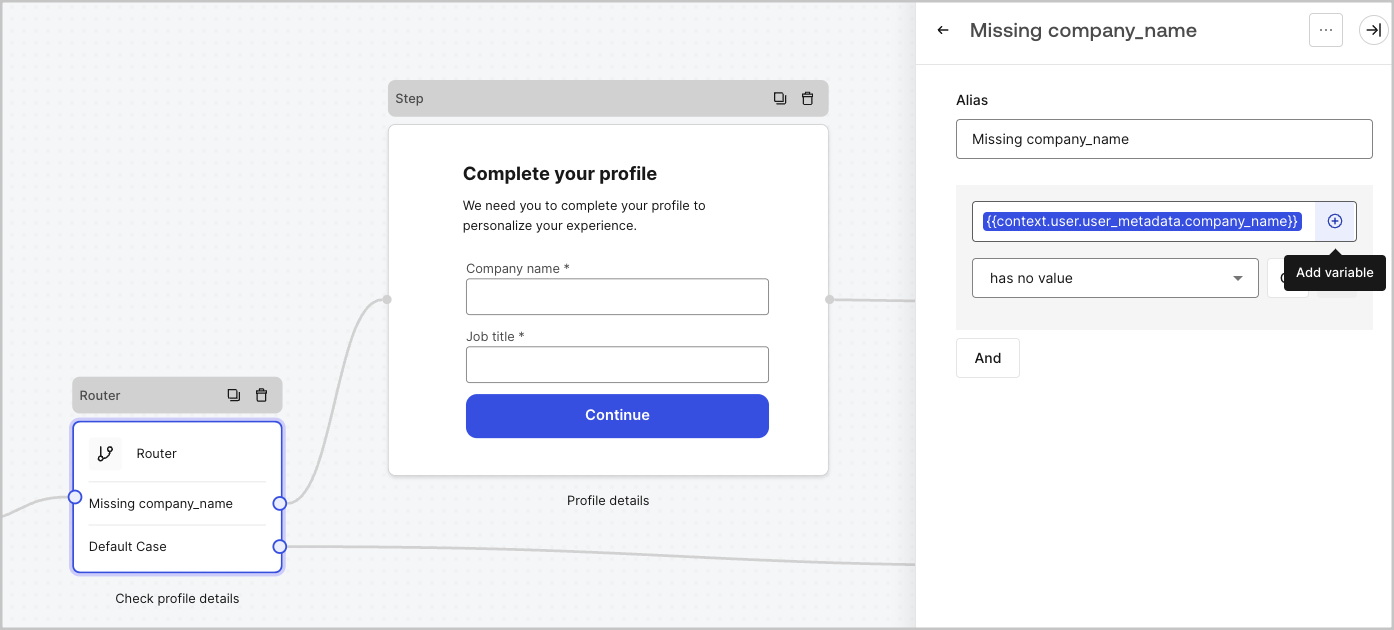
例: `{{context.user.user_id}}`は、`ユーザー`オブジェクトの`user_id`を参照します。
 ### フォームフィールド変数
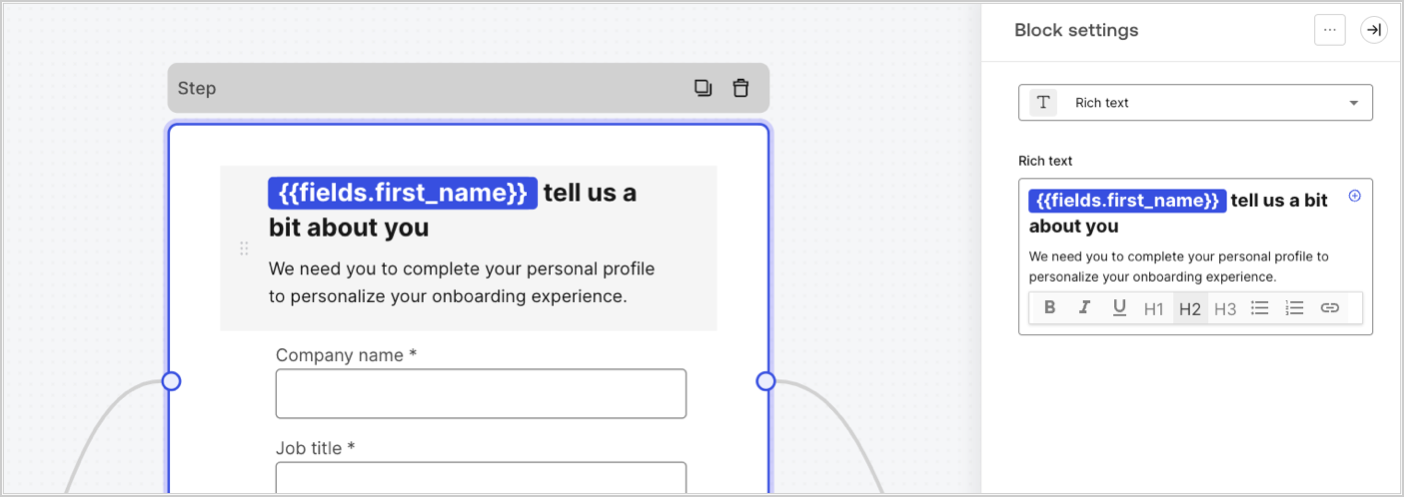
フィールド変数には、フォームの入力フィールドからユーザーから収集されたデータと、非表示フィールドのデータが含まれます。各フィールドのデータは、フィールドタイプによって異なります。例:`{{fields.first_name`}}は、IDが`first_name`のフィールドの入力値を参照します。
### フォームフィールド変数
フィールド変数には、フォームの入力フィールドからユーザーから収集されたデータと、非表示フィールドのデータが含まれます。各フィールドのデータは、フィールドタイプによって異なります。例:`{{fields.first_name`}}は、IDが`first_name`のフィールドの入力値を参照します。
 ### フロー出力アクション変数
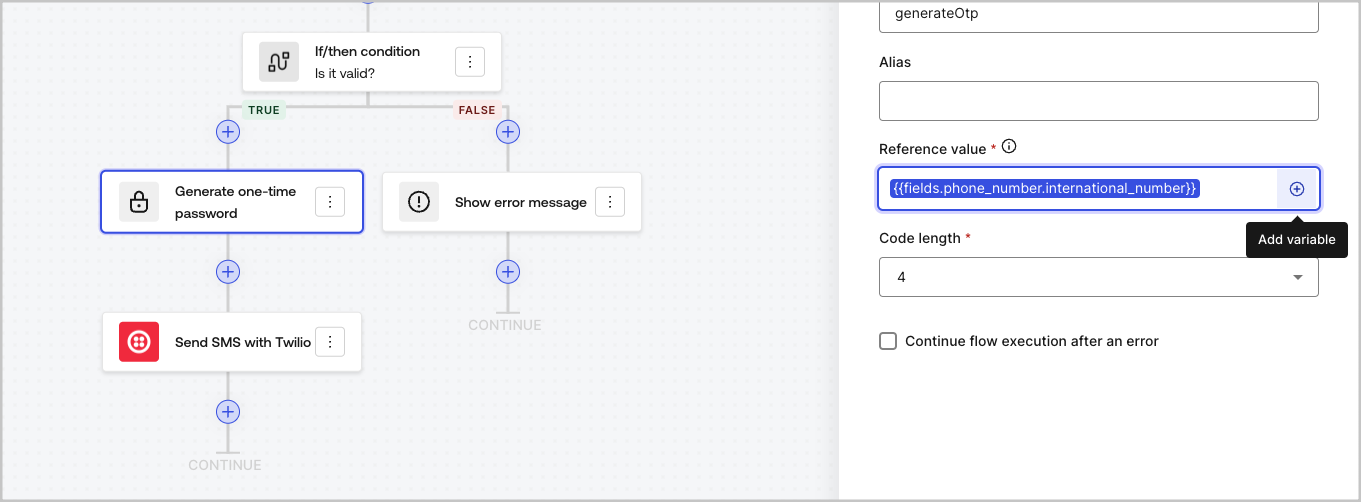
フローアクションが実行されると、後続のアクションで参照できる出力オブジェクト応答が生成されます。例:`{{actions.generate_otp.code}}`は、IDが`generate_otp`のアクションの出力コードを参照します。
### フロー出力アクション変数
フローアクションが実行されると、後続のアクションで参照できる出力オブジェクト応答が生成されます。例:`{{actions.generate_otp.code}}`は、IDが`generate_otp`のアクションの出力コードを参照します。
 ### 共有変数
後続のフローと共有する変数、または同じトランザクション内のフォームコンポーネントと共有する変数を保存できます。共有変数は一時的なものであり、特定のフォームジャーニーに関連付けられています。その値には、そのジャーニーの外部からはアクセスできません。例:`{{vars.external_id}}`は、IDが`external_id`の共有変数の値を参照します。
### 共有変数
後続のフローと共有する変数、または同じトランザクション内のフォームコンポーネントと共有する変数を保存できます。共有変数は一時的なものであり、特定のフォームジャーニーに関連付けられています。その値には、そのジャーニーの外部からはアクセスできません。例:`{{vars.external_id}}`は、IDが`external_id`の共有変数の値を参照します。
 共有変数は:
* 内部(サーバー側)であり、ブラウザー(クライアント側)には公開されません。
* フォームコンポーネントで共有変数を参照した場合、解決してブラウザーに公開できます。
### ヘルパー関数
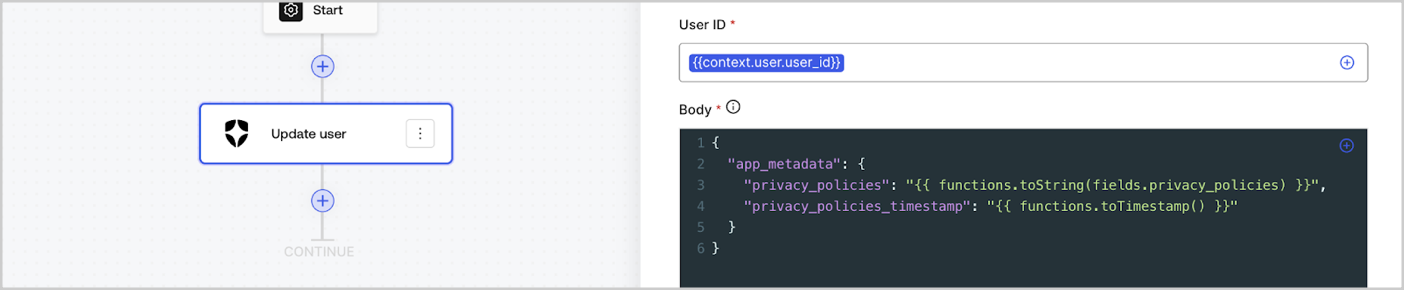
ヘルパー関数を使用すると、データを変換して簡単な操作を実行できます。例:`{{functions.toString(fields.privacy_policies)}}`は、`toString()`関数を使用して、ID`privacy_policies`のフィールドの値を変換します。
共有変数は:
* 内部(サーバー側)であり、ブラウザー(クライアント側)には公開されません。
* フォームコンポーネントで共有変数を参照した場合、解決してブラウザーに公開できます。
### ヘルパー関数
ヘルパー関数を使用すると、データを変換して簡単な操作を実行できます。例:`{{functions.toString(fields.privacy_policies)}}`は、`toString()`関数を使用して、ID`privacy_policies`のフィールドの値を変換します。
 使用可能なヘルパー関数は次のとおりです。
| 関数 | 説明 | 例 |
| -------------------------------------- | ------------------------------------------------------------------------------------------------------------------------------------------------------------------------------------------------------------- | ------------------------------------------------------------------------------------------------------------- |
| toArray(value) | 値を配列に変換します | `{{ functions.toArray('abc') }} // ['abc']` |
| toBoolean(value) | 値をブール値に変換します | `{{ functions.toBoolean(1) }} // true `
使用可能なヘルパー関数は次のとおりです。
| 関数 | 説明 | 例 |
| -------------------------------------- | ------------------------------------------------------------------------------------------------------------------------------------------------------------------------------------------------------------- | ------------------------------------------------------------------------------------------------------------- |
| toArray(value) | 値を配列に変換します | `{{ functions.toArray('abc') }} // ['abc']` |
| toBoolean(value) | 値をブール値に変換します | `{{ functions.toBoolean(1) }} // true `
`{{ functions.toBoolean(0) }} // false` |
| length(value) | パラメーター値の長さを返します | `{{ functions.length('auth0') }} // 5` |
| mask(value) | 実行時に公開されないように値をマスクします | `{{ functions.mask('my_awesome_secret') }} // ███` |
| toNumber(value) | 値を数値に変換します | `{{ functions.toNumber('123') }} // 123` |
| random(min, max, \[boolean]) | 最小値と最大値の間の乱数を返します | `{{ functions.random(0, 6) }} // 4 `
`{{ functions.random(0, 6, true) }} // 3.8523497...` |
| slice(value, start, end) | 開始インデックスと終了インデックスの間の値配列または文字列のセクションを返します | `{{ functions.slice( 'example', 3, 5) }} // 'mp'` |
| toString(value) | 値を文字列に変換します | `{{ functions.toString(123) }} // '123'` |
| substring(value, start, end) | 開始インデックスと終了インデックスの間の値のセクションを返します。[sliceとsubstring関数の違い](https://developer.mozilla.org/en-US/docs/Web/JavaScript/Reference/Global_Objects/String/substring#differences_between_substring_and_slice)についてお読みください | `{{ functions.substring( 'example’', 3, 5) }} // 'mp'` |
| toTimestamp() | 現在のUNIXタイムスタンプを返します | `{{ functions.toTimestamp() }} // 1628761483` |
| toTimestamp(date) | 指定された日付をUNIX時間で返します | `{{ functions.toTimestamp('2021-04-30T10:02:50.876Z') }} // 1619776970` |
| toTimestamp(date) | 指定された日付をUNIX時間で返します | `{{ functions.toTimestamp('2021-04-30T10:02:50.876Z') }} // 1619776970` |
| replaceAll(value, string, replacement) | パターンに一致するすべての部分を置換文字列に置き換えた新しい文字列を返します。 | `{{ functions.replaceall('2021-04-30', '-', '/') }} // 2021/04/30` |
| replace(value, string, replacement) | パターンに一致するすべての部分を置換文字列に置き換えた新しい文字列を返します。パターンが文字列の場合、最初の出現のみが置換されます。 | `{{ functions.replace('2021-04-30', '-', '/') }} // 2021/04-30` |
| split(value, Separator, limit?) | セパレーターで区切られた部分文字列の順序付きリストを返します。 | `{{ functions.split('2021-04-30', '-') }} // ['2021', '04', '30']` |
| now() | 現在の日付をISO8601形式で返します。 | `{{ functions.now() }} // 2021-04-30T10:31:28.576Z` |
| includes(collection, item, fromIndex?) | 配列のエントリに特定の値が含まれているかどうかを返します。 | `{{ functions.includes(['auth0', 'identity', 'authentication'], 'identity') }} // true` |
| indexOf(collection, item, fromIndex?) | 配列内で特定の要素が見つかる最初のインデックスを返します。存在しない場合は-1を返します。 | `{{ functions.indexOf(['auth0', 'identity', 'authentication'], 'identity') }} // 1` |
| merge(base, value) | 基本データ型に応じて、結合された配列、オブジェクト、または連結された文字列を返します。 | `{{ functions.merge(['auth0', 'identity'], ['authentication']) }} // ['auth0', 'identity', 'authentication']` |
| md5(value) | MD5 ハッシュ値を返します。 | `{{ functions.md5('auth0') }} // 7bbb597...` |
| sha1(value) | SHA1 ハッシュ値を返します。 | `{{ functions.sha1('auth0') }} // b4ec5339...` |
| sha256(value) | SHA256ハッシュ値を返します。 | `{{ functions.sha256('auth0') }} // d9082bdc...` |
| sha512(value) | SHA512ハッシュ値を返します。 | `{{ functions.sha512('auth0') }} // c0d588069d...` |
| uuid() | ランダムなv4 UUIDを返します | `{{ functions.uuid() }} // 36b8f84d-df4e-4d49-b662-bcde71a8764` |
## 変数のベストプラクティス
### 意味のあるIDを使用する
フォームフィールドまたはフローアクションを追加すると、IDが自動的に生成されます。
IDをよりわかりやすい値に更新して、含まれる情報を識別できるようにします。たとえば、ユーザーの名を保存するフォームフィールドを作成する場合は、IDを`first_name`に更新します。
### 既存のIDを更新するときは注意してください
変数がすでに使用されており、IDを変更する必要がある場合は、参照した場所を特定し、それに応じてIDを更新して、未定義または空の値にならないようにします。
### フロー実行を確認する
予期しない変数値が表示された場合は、[**実行** ](/docs/ja-jp/customize/forms/flows/flow-execution-and-debugger)ビューを使用して変数のトラブルシューティングを行います。
### オートコンプリートメニューを使用する
オートコンプリートメニューを使用すると、既存の変数を見つけて適切に参照できます。